WordPress vs Squarespace vs Wix: Choose With Confidence
Choose Wix when speed and beginner-friendly editing matter most. Choose Squarespace when you want a polished, controlled visual system with less setup. Choose self-hosted WordPress when your business needs deeper customization, ownership, content growth, or flexibility beyond a standard website builder. The right answer depends on what would be hardest and most expensive to change later.
 By Tabitha Ayers7 min read
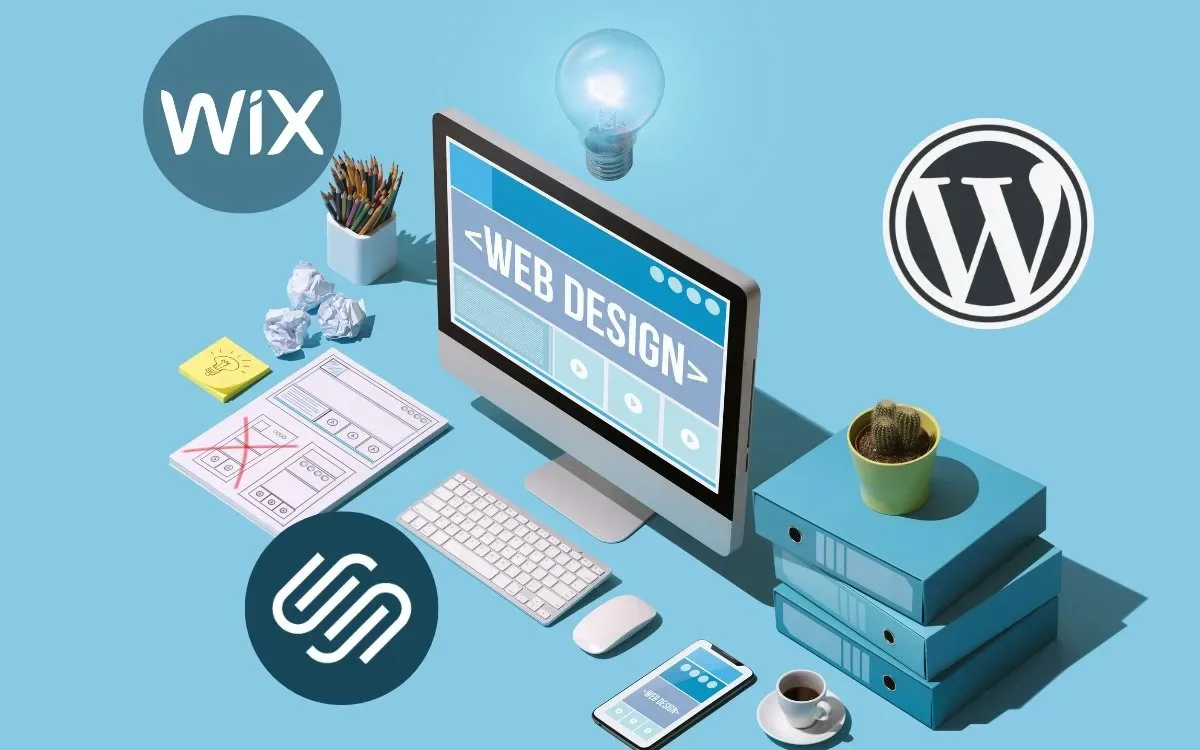
Choosing between WordPress vs Squarespace vs Wix is not simply a design decision. It affects who controls your website, how much maintenance it requires, how much it costs over time, and how easily it can adapt as your business grows.
For a simple brochure site, all three can work. The better question is whether you need speed, control, visual consistency, or room for complex functionality later.
A platform that feels easy on launch day can become restrictive when you need custom lead workflows, a large content library, advanced ecommerce, or a more detailed SEO process.
How The Platforms Differ

The most useful distinction is not “easy versus hard.” It is hosted platform versus self-hosted CMS.
Wix and Squarespace are hosted website builders. The provider manages the infrastructure, software environment, and much of the technical administration. You pay for a plan, select a template, add content in a visual editor, and publish from the same system.
Self-hosted WordPress, commonly called WordPress.org, is open-source content management system software that you install with a hosting provider. You select hosting, a theme, plugins, and often an ongoing update and backup process. This adds responsibility, but also provides broader control.
WordPress.com is different from self-hosted WordPress.org. It is a hosted service built on WordPress, with plan-based features and platform rules. When comparing flexibility, hosting control, plugins, and portability, clarify which version of WordPress is being discussed.
The Practical Difference In Control
Platform | Operating Model | What You Control Most Directly | Main Constraint |
|---|---|---|---|
WordPress.org | Self-hosted CMS | Hosting, files, database, themes, plugins, custom code | You manage the technical stack or pay someone to do it |
Squarespace | Hosted website builder | Content, templates, page layouts, built-in tools | Design and functionality stay within Squarespace’s system |
Wix | Hosted website builder | Visual layout, built-in features, apps, page editing | Advanced customization remains platform-specific |
With WordPress, the website is assembled from parts. A theme controls much of the presentation. Plugins add features such as forms, SEO tools, membership areas, ecommerce, backups, and security. Hosting runs the software and stores the database and files. This modular setup is powerful, but it creates dependencies. A plugin update can conflict with a theme, a payment tool, or another plugin.
With Wix and Squarespace, the provider controls more of the underlying system. That reduces the number of technical decisions. It also means your site must work within the platform’s rules for layouts, integrations, and custom behavior.
Which Platform Fits Your Business Model?
We recommend starting with the business model rather than a template gallery.
- Choose Wix if you need a straightforward service website, basic online booking, a small store, or a fast first launch managed by a nontechnical team.
- Choose Squarespace if presentation matters heavily and your site needs a refined, consistent visual structure for a portfolio, studio, professional practice, or service business.
- Choose WordPress.org if your site will become a substantial content asset, needs custom integrations, requires complex lead capture, supports multiple business units, or may need functionality not available in a standard builder.
For example, a consultant with five service pages and a contact form may not gain much from a highly customized WordPress build. A commercial real estate firm that needs location filters, property listings, gated reports, CRM routing, and ongoing market content may quickly outgrow a basic builder.
Reversibility Matters More Than Initial Convenience
A platform choice should be judged partly by how difficult it is to reverse. This is especially important for decision-makers who expect the website to support growth over several years.
A basic Wix or Squarespace site can often be rebuilt elsewhere. But rebuilding is not the same as moving. You may be able to export portions of content, yet the original design, platform-specific layouts, forms, custom styling, apps, and certain commerce settings may need to be recreated.
WordPress is generally more portable because the site files and database can move between compatible hosts. That does not mean every WordPress site is easy to migrate. A heavily customized theme, a proprietary page builder, or a collection of specialized plugins can create implementation lock-in of its own.
Platform lock-in comes from the vendor’s system. Implementation lock-in comes from the way the site was built. A business should plan for both.
For broader insights on website platforms, focus on the operational requirements behind the visual design, not only the launch process.
Cost, Ownership, And Maintenance
Starting prices do not provide a complete comparison. A lower monthly plan can become more expensive if it requires paid apps, premium templates, a developer, extra support, or a later migration.
The more useful measure is three-year total cost of ownership. That includes the cash expense and the management time needed to keep the website effective.
What To Include In A Three-Year Budget
Cost Area | WordPress.org | Squarespace | Wix |
|---|---|---|---|
Hosting | Separate expense | Included with plan | Included with plan |
Domain | Usually separate after an introductory period | May be included initially, then renewed separately | May be included initially, then renewed separately |
Template Or Theme | Free or paid | Included templates | Included templates and optional paid assets |
Extensions | Plugins may be free, paid, or subscription-based | Built-in features and selected integrations | Built-in features and optional apps |
Maintenance | Internal time, agency support, or managed service | Mostly provider-managed | Mostly provider-managed |
Custom Development | Flexible but potentially significant | Limited and potentially specialized | Limited and potentially specialized |
WordPress can be cost-effective when a business has modest requirements and a reliable hosting and maintenance approach. It can also become expensive when the site depends on many paid plugins, custom development, ongoing security work, and support for a complex setup.
Squarespace and Wix make budgeting simpler because hosting and core platform maintenance are bundled. Still, a predictable subscription does not guarantee a lower long-term cost. If a business reaches a platform boundary and must rebuild after two years, the migration and redesign can outweigh early savings.
Maintenance Is A Business Decision
Self-hosted WordPress needs clear ownership. Someone must monitor updates, backups, security, forms, plugin compatibility, and recovery procedures. The work can be handled internally, by a managed host, or through a web partner. What matters is that it is assigned rather than assumed.
Consider a failure scenario: a form plugin updates, the confirmation email stops sending, and a sales inquiry disappears. On a managed builder, the platform handles more of the underlying environment, although you still need to test forms and account settings. On WordPress, the recovery process depends on backups, hosting access, plugin support, and the site's team.
A practical maintenance plan should define:
- Who owns the primary account and billing access.
- How often the site is backed up and where backups are stored.
- Who approves software updates.
- How form submissions, analytics, and conversion tracking are tested.
- Who can respond if the site is unavailable or a page breaks.
Ownership Is More Than Having A Login
A business should retain ownership of its domain, primary platform account, analytics property, email marketing account, payment accounts, and key integration credentials. If an outside vendor manages these assets, ensure the company remains the legal account holder with administrative access.
This is particularly important during a sale, a leadership change, an agency transition, or a website migration. Without account access, a technically simple move can become slow and expensive.
Design, SEO, Content, And Ecommerce

The right platform is the one that can support your actual operating workflow. A beautiful template is useful only if your team can publish pages, manage leads, update services, and maintain brand consistency without creating a mess six months later.
Design Flexibility And Governance
Wix offers highly visual drag-and-drop editing. That can help a small team move quickly, but it also gives editors more opportunities to create inconsistent spacing, typography, and page structure. Establish page rules early if multiple people will edit the site.
Squarespace is more structured. Its templates and editing system can create stronger visual consistency with fewer design choices. The trade-off is that highly specific layouts or interactions may be harder to achieve without workarounds.
WordPress varies dramatically based on the theme and editor selected. A carefully designed WordPress system can give editors flexible blocks while protecting essential brand rules. A poorly configured build can have the opposite effect, leading to inconsistent pages and requiring developer help for routine changes.
This is why platform selection and design governance should be considered together. A review of current website design trends can inform visual direction, but durable brand systems also need rules for typography, imagery, page hierarchy, and calls to action.
SEO Means Specific Controls, Not A Platform Label
No platform automatically creates strong search visibility. SEO depends on useful content, technical setup, page structure, site performance, internal linking, local relevance, and the authority of the business behind the site.
The meaningful question is whether your workflow needs control over the following areas:
- Page titles and meta descriptions
- Heading hierarchy and readable URLs
- Image alt text and media optimization
- XML sitemaps and indexation settings
- Redirects when URLs change
- Structured data for services, products, organizations, or articles
- Analytics, conversion tracking, and CRM integrations
Wix and Squarespace provide built-in controls for many core SEO tasks. WordPress can offer more control through configuration, plugins, and custom development, but that flexibility is not automatic. A plugin-heavy setup can add complexity, and technical features still need correct implementation.
For a small professional services site, a clean structure, clear service pages, credible case studies, and an efficient contact path often matter more than advanced technical options. For a publisher, a multi-location firm, or a business with hundreds of pages, WordPress may provide a better framework for content governance and scalability.
Blogging, Ecommerce, And Custom Workflows
All three platforms support blogging and ecommerce. The key difference is complexity.
Requirement | Best Starting Point | Why |
|---|---|---|
Simple blog and service site | Squarespace or Wix | Fast publishing with hosted administration |
Portfolio with strong visual control | Squarespace | Structured templates support cohesive presentation |
Basic store with a limited catalog | Wix or Squarespace | Built-in commerce tools reduce setup work |
Large content library | WordPress.org | Flexible taxonomy, templates, and content architecture |
Custom lead workflows or integrations | WordPress.org | Broader plugin and custom development options |
Complex ecommerce operations | WordPress with WooCommerce or a specialized commerce platform | Greater control for custom workflows, though it requires more management |
A store with 20 products and simple shipping has different needs from a business with wholesale pricing, subscriptions, tax rules across jurisdictions, inventory sync, customer-specific pricing, and custom fulfillment. Feature availability is not the same as operational fit.
If your site is a core sales tool, small business website design should account for lead quality, buyer trust, and conversion paths as carefully as page aesthetics.
Conclusion
The strongest answer to WordPress vs Squarespace vs Wix is that there is no universal winner. It is a platform choice matched to your business’s likely next stage.
Choose Wix for speed and simplicity. Choose Squarespace for polished structure and low technical overhead. Choose self-hosted WordPress when your website needs to become a flexible business asset with room for deeper content, integrations, and custom functionality.
Before signing up, define the requirements you may need in three years, assign ownership for maintenance, and evaluate how difficult it would be to leave the platform. That level of planning protects both your marketing investment and your ability to grow.
Contents
Frequently Asked Questions
Which Is Better For A Small Business: WordPress, Squarespace, Or Wix?
Wix or Squarespace is often sufficient for a small business with a focused service offering, modest content needs, and no need for custom functionality. WordPress is usually the stronger option when the website will support larger content operations, specialized integrations, or changing requirements. The best choice depends on the complexity of the business, not company size alone.
Is WordPress Cheaper Than Squarespace Or Wix Over Three Years?
There is no reliable universal answer. WordPress may cost less for a simple site with economical hosting and a limited number of paid extensions. It may cost more when premium plugins, developer support, security, backups, and ongoing maintenance are required. Hosted platforms simplify monthly costs, but added apps and a future rebuild can change the total.
Which Platform Is Easiest For Someone With No Technical Experience?
Wix is generally the easiest place to start for a person who wants direct drag-and-drop control. Squarespace is also approachable but more structured. Self-hosted WordPress has a steeper learning curve because managing hosting, themes, plugins, updates, and troubleshooting often requires more technical expertise.
Which Platform Gives The Most SEO Control?
Self-hosted WordPress typically provides the broadest SEO customization because it can use plugins, custom code, and hosting-level configurations. That does not make it automatically better for rankings. Wix and Squarespace can support the core SEO needs of many business sites when content, page structure, redirects, and tracking are managed well.
Can A Wix Or Squarespace Website Be Moved To WordPress Later?
It can be moved, but it is usually a rebuild rather than a complete transfer. Text and selected content may be exportable, while layouts, design settings, forms, apps, store configurations, and custom features often need to be recreated. Keep a record of URLs and plan redirects to reduce disruption to search visibility.
Which Platform Is Best For A Large Online Store?
For a basic catalog, Wix or Squarespace may be enough. For a store with complex inventory, subscriptions, customer-specific pricing, custom fulfillment, or advanced integrations, WordPress with WooCommerce may offer more flexibility. It also requires more technical oversight, so the operational team must be ready for that responsibility.
What Happens If A Plugin, App, Or Theme Causes A Problem?
On WordPress, a plugin or theme conflict can affect layouts, forms, checkout, or site performance. A backup and staging process helps reduce risk before updates go live. On Wix and Squarespace, there are fewer moving parts under your control, but an app or integration can still require troubleshooting or replacement.
More on Websites & UX

Websites & UX
Website Conversion Rate Optimization That Drives Better Leads
Website conversion rate optimization works best when we define the right conversion first, identify friction with data and user research, test one clear hypothesis at a time, and judge results by lead quality, revenue, and profit rather than clicks alone.

Websites & UX
UX Design for Small Business Websites That Converts
Prioritize the customer task that matters most to revenue. Build each page around that task, test the complete journey on a real phone, confirm that forms and notifications work, and measure completed actions instead of judging UX by appearance alone.
Websites & UX
10 Website Design Trends Small Businesses Should Watch in 2027
The strongest 2027 website design direction combines clear, answer-first content with distinctive visual craft. Prioritize semantic structure, accessible interaction, mobile speed, and purposeful personalization before investing in 3D scenes, scroll effects, or complex animation.